How To Installation
Congratulations on starting your renovation project! Before you begin, please take a few minutes to read the following installation instructions to simplify the process as much as possible.
What do you need to prepare?

Multi-purpose wall cleaner
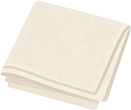
Small towel or rag

Sharp scissors or utility knife

Pencil or chalk
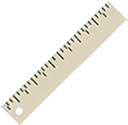
Ruler
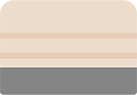
Squeegee
Step
1.
Removing stains and powder from the walls is an essential preparatory step. Be sure to clean the splash guard area, removing grease and other residues, and allow it to dry before starting construction.
2.
Measuring wall dimensions.
3.
To ensure that self-adhesive tiles are properly aligned, use a pencil or chalk to mark guide lines to indicate where the tiles should be placed.
4.
Cutting tiles
5.
To cut a straight edge, place the tile on a cutting mat. Using a utility knife and ruler as guides, cut along a straight line. The cutting method depends on the tile material. For example, regular scissors will cut vinyl tiles, while harder materials may require a utility knife.
6.
Tear open, stick, press
7.
Simply fold the protective film on the back of the self-adhesive tile back halfway. Be careful not to touch the adhesive part. Align the adhesive part with the guide lines you drew earlier, then press to ensure a firm bond.
Important Note
1
To ensure that self-adhesive tiles are properly aligned, use a pencil or chalk to mark guide lines to indicate where the tiles should be placed.
2
Use a level or chalk line to draw at least one vertical reference line and one horizontal reference line to guide the laying of tiles.
3
After installation, reinforce with a film-coating roller.
4
If it comes into contact with water, it is recommended to use tile trim and grout (or silicone sealant).
5
For rough surfaces and walls with deep textures, please follow these instructions:
- Sand the surface with sandpaper or putty.
- Clean the walls with a damp cloth.
- Wait for the wall to dry completely.
Questions about our How To Installation? Contact us at sean@trustdaglobal.online
Contact Us